
License
View Proventeq365 license details and renew the license.
The License screen lets you view license details and renew a license. It provides a clear overview of your license status, validity period, and enabled features.
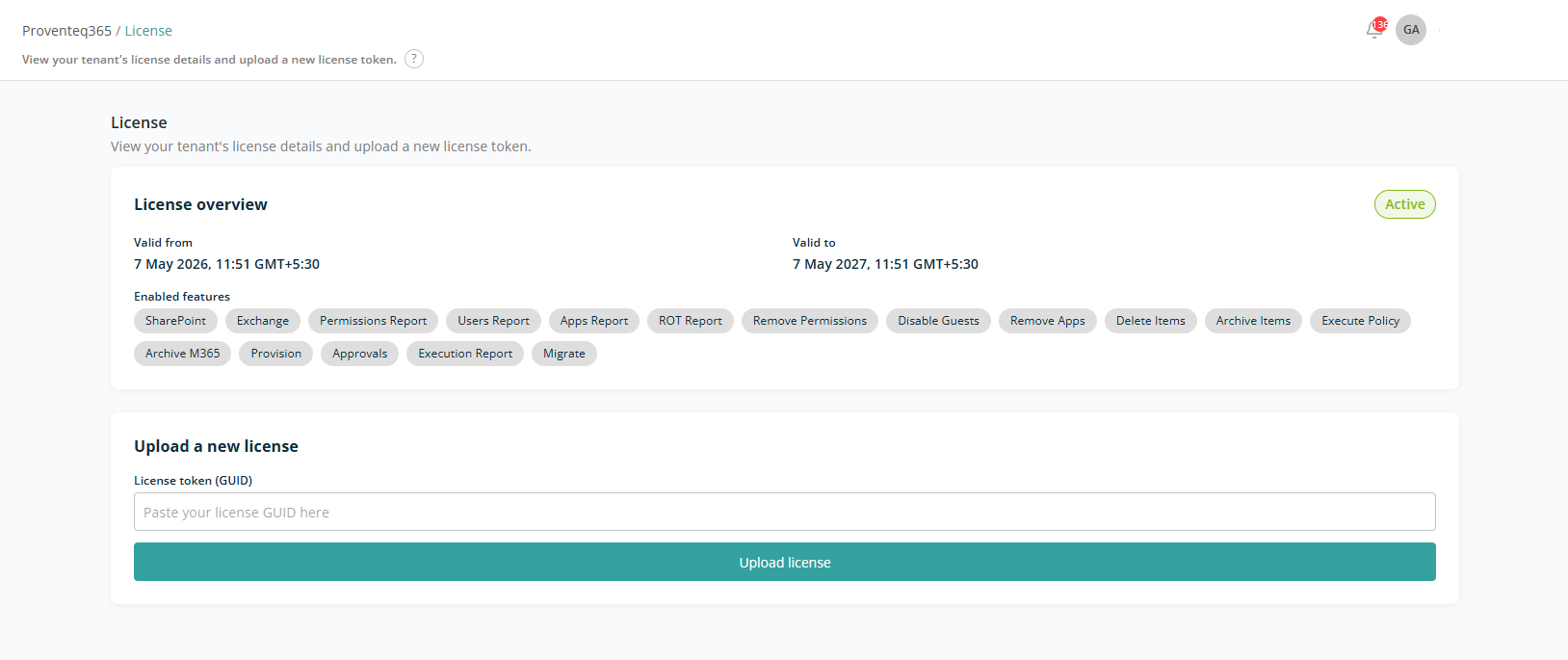
License Overview
The License Overview section displays key information about your current license:
- License Status — Whether the license is currently active.
- Valid From — The start date and time of the license.
- Valid To — The license expiry date and time.
- Enabled Features — All features currently available under the license. Each feature is displayed as a tag for quick reference. Examples include: SharePoint, Permissions Report, Remove Permissions, Provision, Archive M365.
Upload a New License
Use this section to renew the Proventeq365 license. Enter the license key provided in GUID format and click Upload License. The system validates and applies the new license.