
Container — Add Folders to an Existing SharePoint Library
Create a folder structure that can be added inside one or more folders within an existing SharePoint site library, including permissions and labels.
This container creates a folder structure that can be added inside one or more folders within an existing SharePoint site library. It also lets you control how permissions and labels are applied at the folder level.
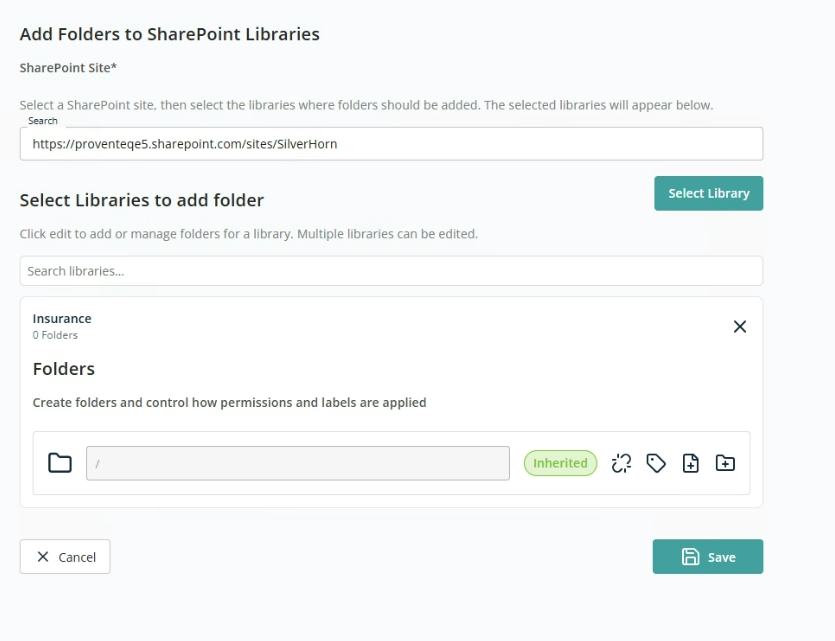
- SharePoint Site — Search field to find and select an existing SharePoint site. The selected site defines the structure that will be modified.
Once a site is selected, click Select Library to choose one or more document libraries from the selected site. The folder structure will be copied into these selected libraries.
Setup Folders
This section uses the same controls as the Folders section in the Create New Site container — break/reset inheritance, retention labels, file imports, and add new folder.