
Container — Add Library to an Existing SharePoint Site
Add one or more new document libraries to an existing SharePoint site without creating a new site or modifying existing content.
This container lets you add one or more new document libraries to an existing SharePoint site. It helps extend the site's structure and organisation without creating a new site or modifying existing content.
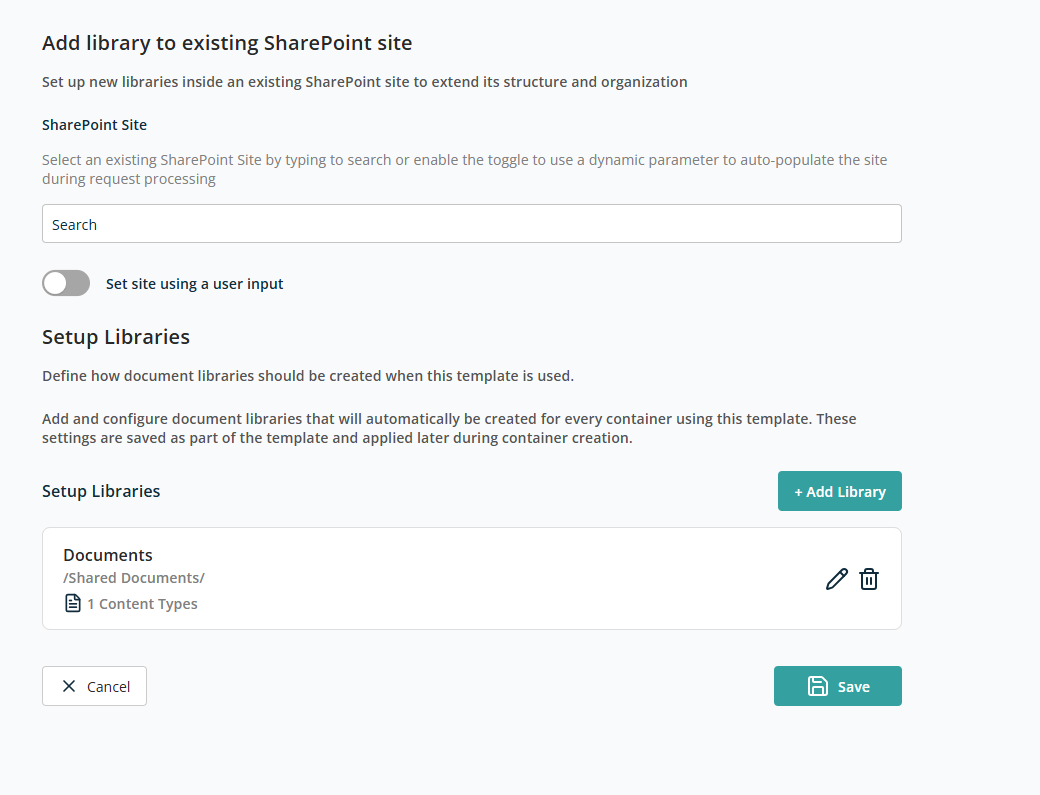
Select SharePoint Site
This section lets you choose the existing SharePoint site where the new libraries will be added.
- SharePoint Site — Search field to find and select an existing SharePoint site.
- Set site using a user input — Enable this toggle if the source site should be provided dynamically during request submission instead of being fixed in the template.
Setup Libraries
This section uses the same controls as the Setup Libraries section in the Create New Site container.
After doing all configuration, click Save to add this container to the template. Click Cancel to discard.