
Policies
View and manage governance policies configured for the workspace, including detection parameters and optional automated actions.
The Policies screen lets you view and manage governance policies configured for the workspace. Each policy defines a rule, detection parameters, and optional automated actions that run on a schedule to support governance and compliance.
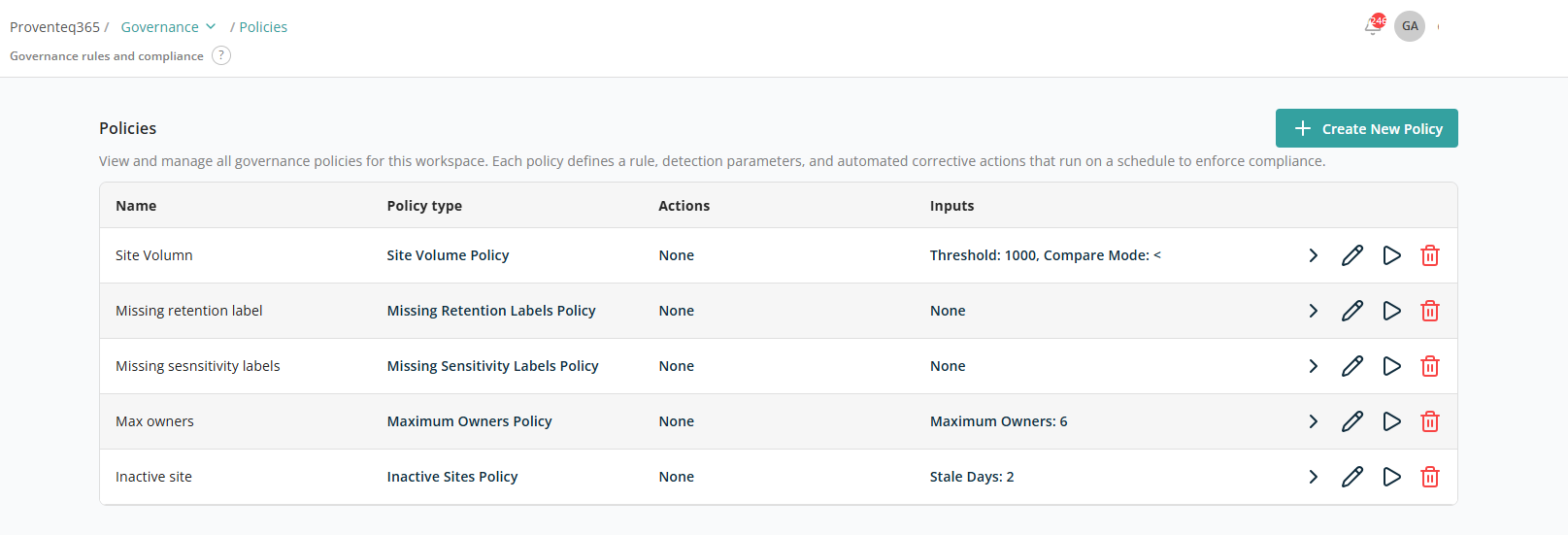
Policies List
The table displays all configured policies with the following details:
- Name — The policy name, used to identify the rule.
- Policy type — The type of governance rule being enforced.
- Actions — Actions associated with the policy, performed on the scoped data.
- Inputs — Parameters used by the policy (for example, thresholds or limits).
- Available actions — Each policy row includes action icons to manage the policy:
- View — View policy results.
- Edit — Modify the policy settings.
- Run — Manually trigger the policy.
- Delete — Remove the policy from the workspace.
Create New Policy
Click + Create New Policy to add a new policy. The following screen appears for configuring the policy:
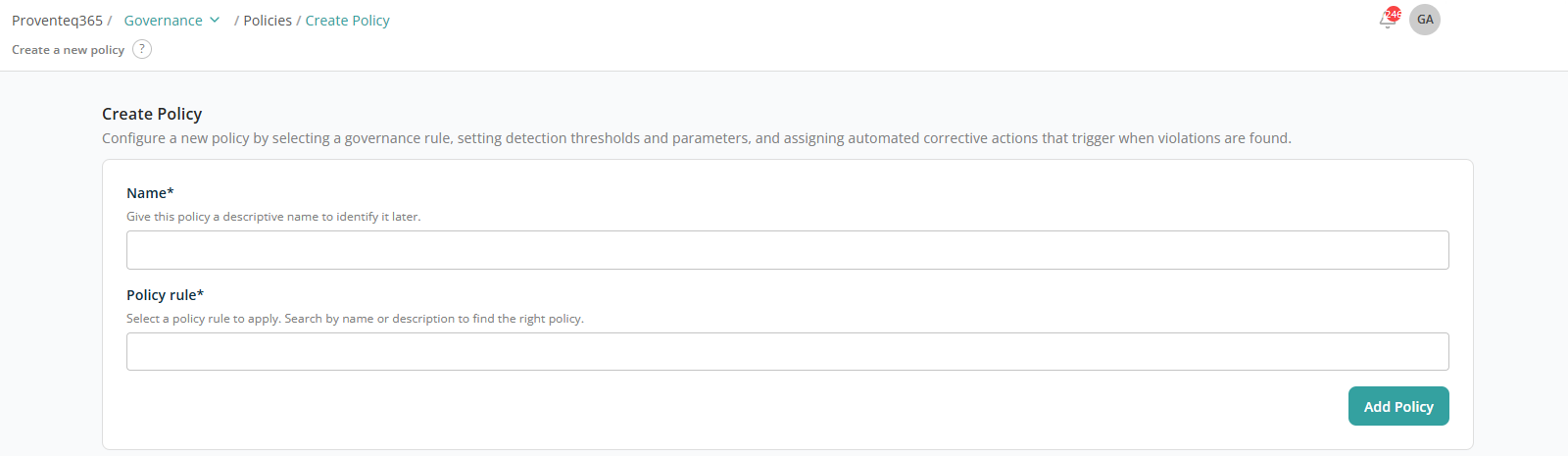
The available policy rules and their inputs/actions are documented in the Predefined Policies appendix.